Download Shadows and start using it immediately. The basic version is free and offers a comprehensive set of features for designing and drawing sundials. Shadows is used by thousands of enthusiasts around the world.
Download
What's new in the future version 6?

Installation
 Download the installation guide » (PDF, 1.2 MB).
In case of problem please look at the frequent questions, thanks.
The files were tested with a professional anti-virus program (ESET NOD32) before the publication. You will install the program at your own risks. Only the version available on this site was controlled by us. We deny any responsibility in case of problem with files downloaded on mirror sites.
Note: in rare cases, antivirus software may incorrectly flag this site or the installer as unsafe. First verify that the file comes from this official website and scan it, for example, with VirusTotal. Create an exception only after checking the file's origin and the scan results.
License
To use the advanced features of Shadows Expert or Shadows Pro, you need to buy a license. Test the free version before purchasing a license.
User Manual
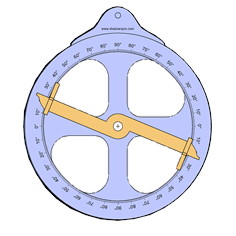
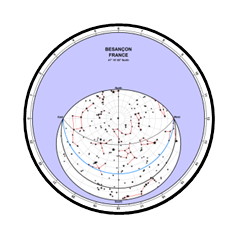
A complete user manual is now available in PDF format. It contains more than 150 illustrated pages explaining in details all features of Shadows Pro and explaning how sundials and astrolabe work. The user manual in English and French are included in the application installer. Manuals in other languages can be downloaded from the application when changing language.
History of versions
History of all published versions
Locations database
Shadows is provided with a database of more than 6,000 locations all around the world. You can download additional databases by country, a total of 280,000 locations.
Technical specifications
Shadows is developed primarily for Windows 11/10 and is compatible with Windows 8.x, Windows 7 and Windows Vista. It requires a 64-bit Windows (compiled for x64, not ARM). Older versions of Windows are not compatible anymore with Shadows.
Shadows can run on Mac OS with older Mac with Intel processors, using a Windows emulator (Parallels Desktop, VM Ware or Wine). More recent Mac with Apple Silicon processors (M1 to M5) can run Shadows on Windows 11 ARM with Parallels Desktop 20+ or VM Ware Fusion. In both cases, the application may be slower and may have a few bugs. Users using these platforms are encouraged to share their feedback with us.
At least 8 GB of RAM is recommended. The 3D views require a graphics card that supports OpenGL 3.3 or later. Shadows stores files in the Documents\Shadows Data folder, which must not be located on a network drive or in cloud storage. Check compatibility with your system by installing the free version before purchasing a license.
The user interface of Shadows is translated in 18 languages: English, French, German, Italian, Spanish, Portuguese, Greek, Brazilian, Dutch, Hungarian, Slovenian, Polish, Czech, Arabic, Catalan, Russian, Romanian, Persian. View the translation status
The user manual in PDF format is available for the latest version in English, French, German, Italian, Spanish and for older versions in Bresilian-Portuguese and Czech.
Continue with next page: Feature List of Shadows Levels